

TL;DR
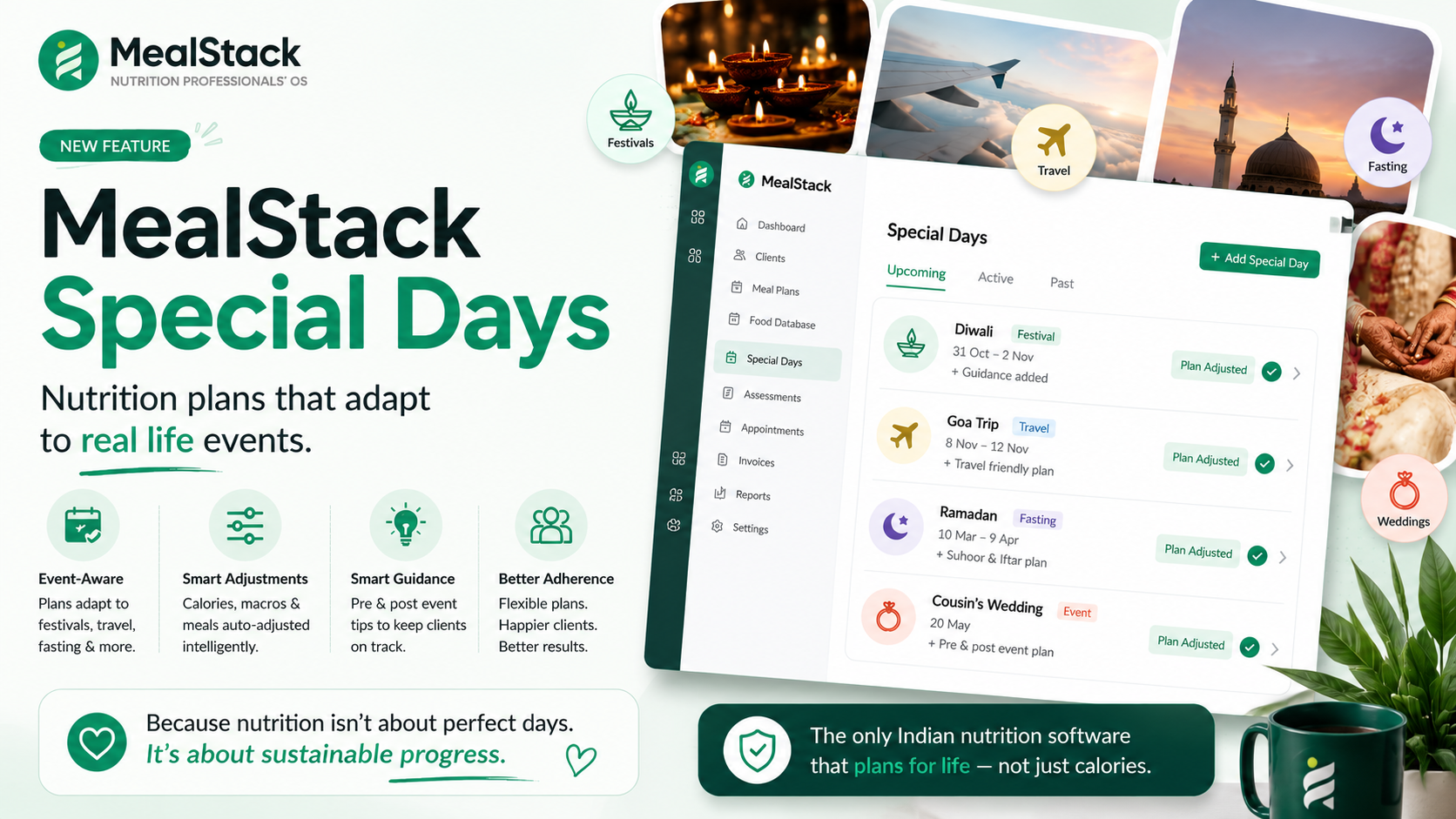
MealStack's Special Days feature lets you mark festivals, weddings, travel, fasting, and exams on the calendar — automatically adjusting calorie targets, pausing compliance tracking, sending pre-event tips to clients, and blocking follow-up scheduling. 9 Indian templates included. No other nutrition tool does this.
Every Indian dietitian knows the truth: no meal plan survives contact with real life. Diwali sweets, wedding buffets, Navratri fasting, exam-week stress eating, business travel — these aren't exceptions. They're the norm. And yet every nutrition tool pretends they don't exist.
The problem every Indian dietitian faces
Picture this: your client Priya has been following her 1,600 kcal plan perfectly for 3 weeks. Then Diwali arrives. She eats mithai at 4 different houses, skips logging for 3 days, and her weekly compliance drops to 40%. She feels guilty. You lose a data point. The tool shows a scary red bar.
But was that actually a failure? No — it was a national festival. The tool failed, not the client.
Multiply this across India's 30+ major festivals, wedding season (November-February), school exams (March-April), summer travel, and Ramadan — and you realize: a nutrition tool that can't handle “special days” is fundamentally broken for Indian practice.
How MealStack handles Special Days
MealStack's Special Days feature treats life events as first-class calendar events — not something you apologize for in the next session. Here's what it does:
1. Mark it once, handle it everywhere
From the calendar or any client's profile, mark a special day — choose the type (festival, travel, wedding, fasting, exam, party), set the date range, and configure how the plan should adjust:
- Calorie adjustment — Relaxed (+20%), Strict (-15%), Maintenance, or a custom target
- Compliance tracking — pause it entirely so the day doesn't penalize adherence scores
- Follow-up blocking — don't accidentally schedule sessions on festivals
- Guidance text — your personalized tips shown to the client in their portal
2. Pre-event guidance (automatic)
Configure “send tips N days before” and MealStack auto-sends a rich card in the client's chat — with your guidance, portion tips, and the adjusted target. No manual message needed. Clients feel supported before the event, not judged after.
“My clients used to ghost me during Diwali week. Now they message mebefore the festival asking if they can have an extra gulab jamun. That's a mindset win.”
3. Client self-marking
Clients can mark their own upcoming events from the portal (“I have a wedding this Saturday”). You get notified and can respond with tips — creating a communication touchpoint without requiring a full consultation.
4. Compliance that tells the truth
When compliance tracking is paused for a special day, that day is excluded from percentage calculations. A client who followed 6/6 days and had 1 Diwali day off shows 100% compliance — not 85%. The weekly summary card reflects this accurately.
Ready to make your practice festival-ready?
Special Days is included on all plans — even the free tier.
Start free — no credit card9 pre-built Indian templates
India has 30+ major festivals annually
That's roughly one life event every 10 days for your clients. Templates make setup instant.
MealStack comes with templates for the events Indian dietitians deal with most. One click applies a template to all clients or specific ones:
| Event | Type | Adjustment | Key tip |
|---|---|---|---|
| 🪔 Diwali | Festival | Relaxed (+20%) | Protein breakfast before celebrations |
| 🙏 Navratri | Fasting | Maintenance | Sabudana, kuttu, fruits for energy |
| 🎨 Holi | Festival | Relaxed (+20%) | Eat before playing, limit thandai |
| 🌙 Eid | Festival | Relaxed (+20%) | Half-plate salad with biryani |
| 💒 Wedding | Wedding | Relaxed (+20%) | Survey buffet first, choose 3-4 items |
| ✈️ Business Travel | Travel | Maintenance | Pack snacks, grilled over fried |
| 📚 Exam Week | Exam | Normal | Don't skip meals, brain needs glucose |
| 🌙 Ramadan | Fasting | Maintenance | Balanced suhoor, slow iftar |
| 🎄 Christmas | Holiday | Relaxed (+20%) | One dessert, fully savored |
What the client sees on their portal
When a special day is within 3 days, a card appears on the client's portal home:
- Event emoji + title with a countdown (“Tomorrow”, “In 2 days”)
- Your guidance note in a highlighted box
- Adjusted calorie target (e.g., “~1,900 kcal today — relaxed from 1,600”)
- Actionable tips (portion guidance, meal timing suggestions)
- On the day itself: diary shows a “Flexible Day” banner — compliance paused
Why NutriAdmin, Nutrium, and Foodzilla can't do this
We checked every major competitor. NutriAdmin, Foodzilla, Nutrium, Practice Better, Healthie — none of them have a “special days” concept. The best they offer is manual plan adjustments or a note in the chat. That means:
- No automatic compliance exclusion
- No pre-event guidance delivery
- No client self-marking of events
- No calorie target adjustment
- No follow-up scheduling awareness
For Indian practices where 20+ festivals affect clients annually, this isn't a nice-to-have — it's table stakes.
MealStack is the only nutrition tool that treats life events as part of the plan, not a deviation from it.
How to get started (5 steps)
- Open your Calendar and click “🎉 Mark Special Day”
- Pick a template (Diwali, Navratri, etc.) or create a custom one
- Choose whether it applies to all clients or specific ones
- Set guidance text and tips — or use the template defaults
- Save — clients see the card automatically when the day approaches
The mindset shift
Special Days isn't just a feature — it's a philosophy. Instead of pretending clients live in a vacuum, MealStack acknowledges that life happens and builds the tool around that reality.
When you tell a client “Diwali is coming — here's your adjusted target and tips” before the festival, you're not restricting them. You're giving them permission to celebrate with awareness. That's what builds long-term adherence, not rigid compliance scores.
Frequently asked questions
Is Special Days available on the free plan?
Yes. Special Days is available on all MealStack plans — Free, Starter, Pro, and Clinic. There's no limit on how many special days you can mark.
Can clients mark their own events?
Yes. When the appointments feature is enabled in portal settings, clients can tap “Mark Event” from their home screen to notify you about upcoming parties, travel, or exams. You get a chat notification and can respond with guidance.
Does it work with recurring festivals like Diwali?
Yes. Toggle “Recurring annually” when creating a special day. Since Hindu/Islamic calendar dates shift each year, you'll update the date annually — templates make this a one-click operation.
How does compliance exclusion work?
When “Skip compliance tracking” is enabled for a special day, that date is removed from the denominator in all adherence calculations. Weekly compliance summaries, monthly reports, and trend charts all exclude those days automatically.
Try Special Days free
Special Days is available on all MealStack plans — including the free tier. Mark your first festival today.
Start free — no credit card needed